- Resource tools
- Alternative files
- Editing resources
- Editing multiple resources
- Editing resource previews
- Resource status & access
- Sharing resources
- Deleting resources
- Related resources
- Version control
- Lockable metadata
- Geolocation
- CSV export
- Metadata report
- Resource commenting
- User rating of resources
- Usage history
- Resource locking
- Downloading multiple resources
- Image preview zoom
- Subtitles for Video Preview
- Annotating resources
Simple search
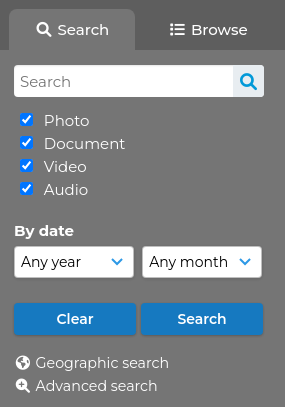
The simple search panel is available on every page within ResourceSpace, making it easy to search from anywhere within the system. The basic panel features a general search box for quick, free text searching across all indexed fields, along with resource type and date.
Additional metadata fields can be configured to show on the panel to allow for more refined searching.
If ResourceSpace is unable to find any resources that match your search, it will suggest alternative search terms that will return results.
If there is a particular resource you're trying to find, you can simply enter the unique resource ID into the search panel and go directly to it.
The Advanced search page is also accessed directly from this panel, giving you even more options to refine and target your searches.
From version 11.0, this is located in the header. Click on the filters button (icon: ) to expand the search panel.

Up to version 10.7, this was located on the right side.