
- Resource tools
- Alternative files
- Editing resources
- Editing multiple resources
- Editing resource previews
- Resource status & access
- Sharing resources
- Deleting resources
- Related resources
- Version control
- Lockable metadata
- Geolocation
- CSV export
- Metadata report
- Resource commenting
- User rating of resources
- Usage history
- Resource locking
- Downloading multiple resources
- Image preview zoom
- Subtitles for Video Preview
- Annotating resources
Resource commenting
To view this video please enable JavaScript, and consider upgrading to a web browser that supports HTML5 video
Resource commenting is enabled in Admin > System > Configuration > User interface > Resource comments.
It can also be switched on with the config. option $comments_resource_enable. Once enabled, a new area below the resource metadata will appear, allowing users to add and respond to comments about the resource.
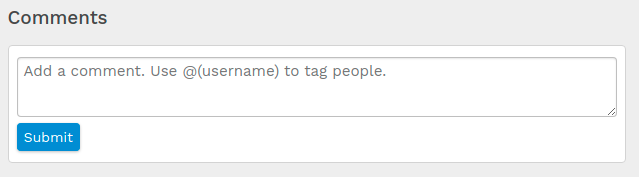
The comments area can be further customised by applying other configuration options such as adding a character limit and enabling a flat view.
User tagging
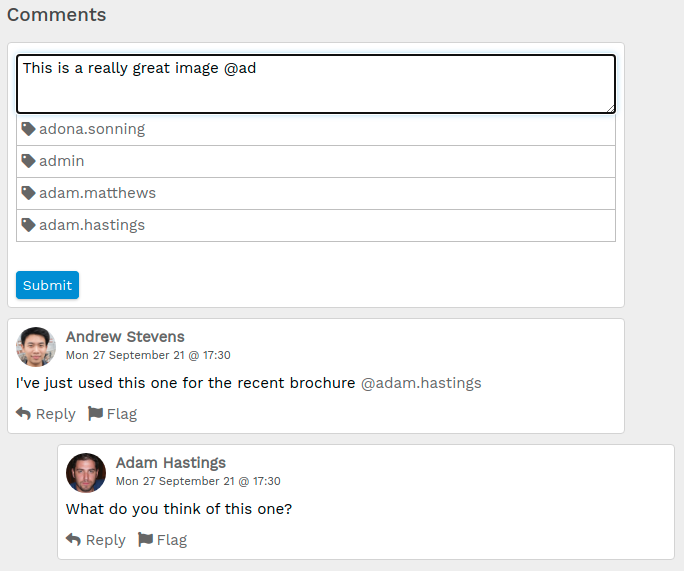
When writing a comment, type the '@' symbol then type the first few characters of someone's username, first name or surname. ResourceSpace will suggest matching user accounts which you can click to auto-complete the correct username.
Tagging a user in this way will mean they receive a notification message directing them to your comment.
Collection and resource tagging
Simply enter 'r', and the the resource ID, or 'c' plus the collection ID, into a resource comment and it'll become a link to the respective resource / collection.