
OpenAI Image Editing
The OpenAI image editing plugin integrates with gpt-image-2 and allows you to make any edits you like to images within your ResourceSpace system. You can also create new images. Once active, the option appears in resource tools on the resource view page.
We provide this as a bolt on service for our hosted customers.
Pricing:
One user: £250 + VAT per year
Five users: £1000 + VAT per year
The possibilities are endless and you can think of this functionality as having a personal Photoshop expert on hand, working just for you, whenever you need them.
There are various examples in the video above like upscaling, removing blurriness, translating text within an image, removing objects and people, but here's a step by step guide:
We've created a default prompt that appears for all new image edits. We've found this gives the best results but if you'd like to make a change to the whole image, like adding colour to a black and white photo, for example, or creating a new image, you can remove the default prompt first.
A source image is selected:
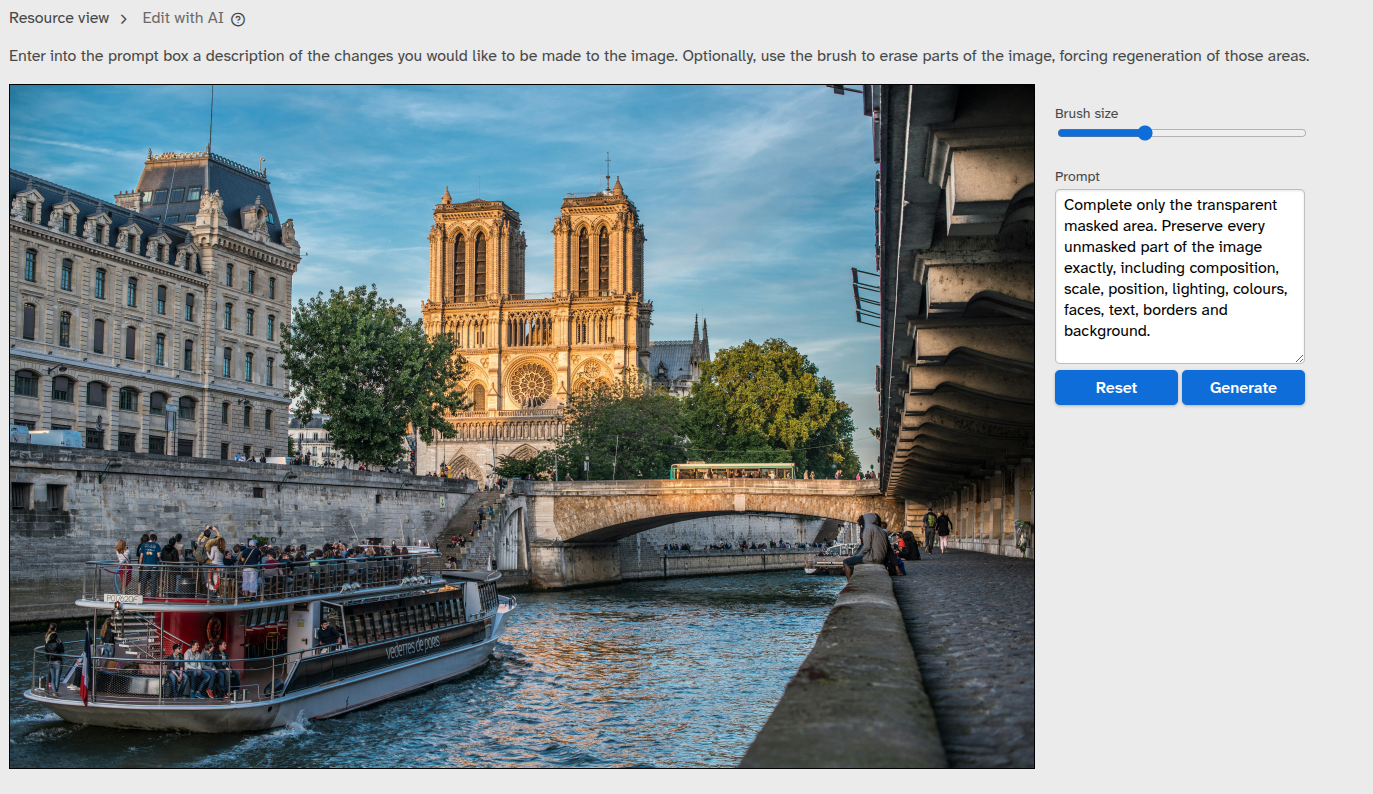
In this case, we're going to remove an object, so we need to select it.
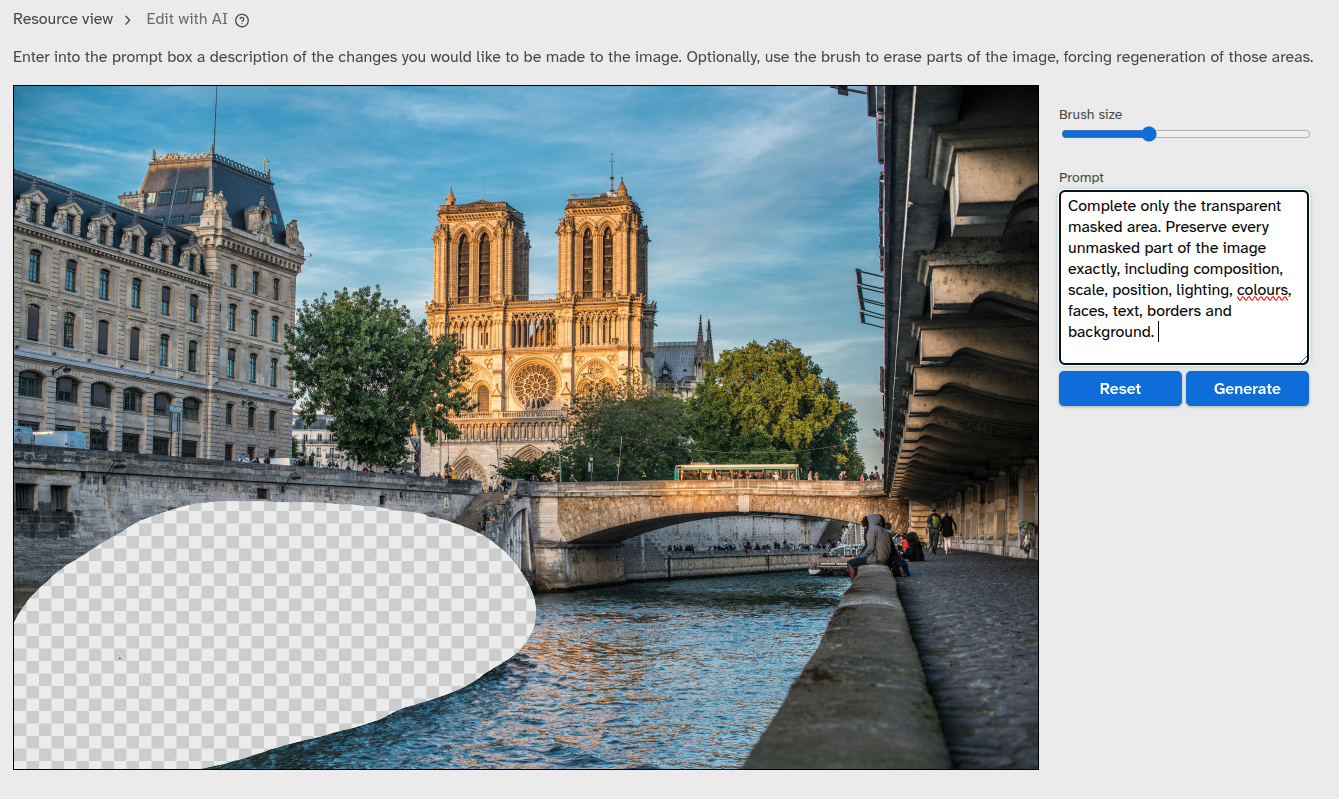
Add any additional instructions to the prompt and click 'Generate' - and here's the result:
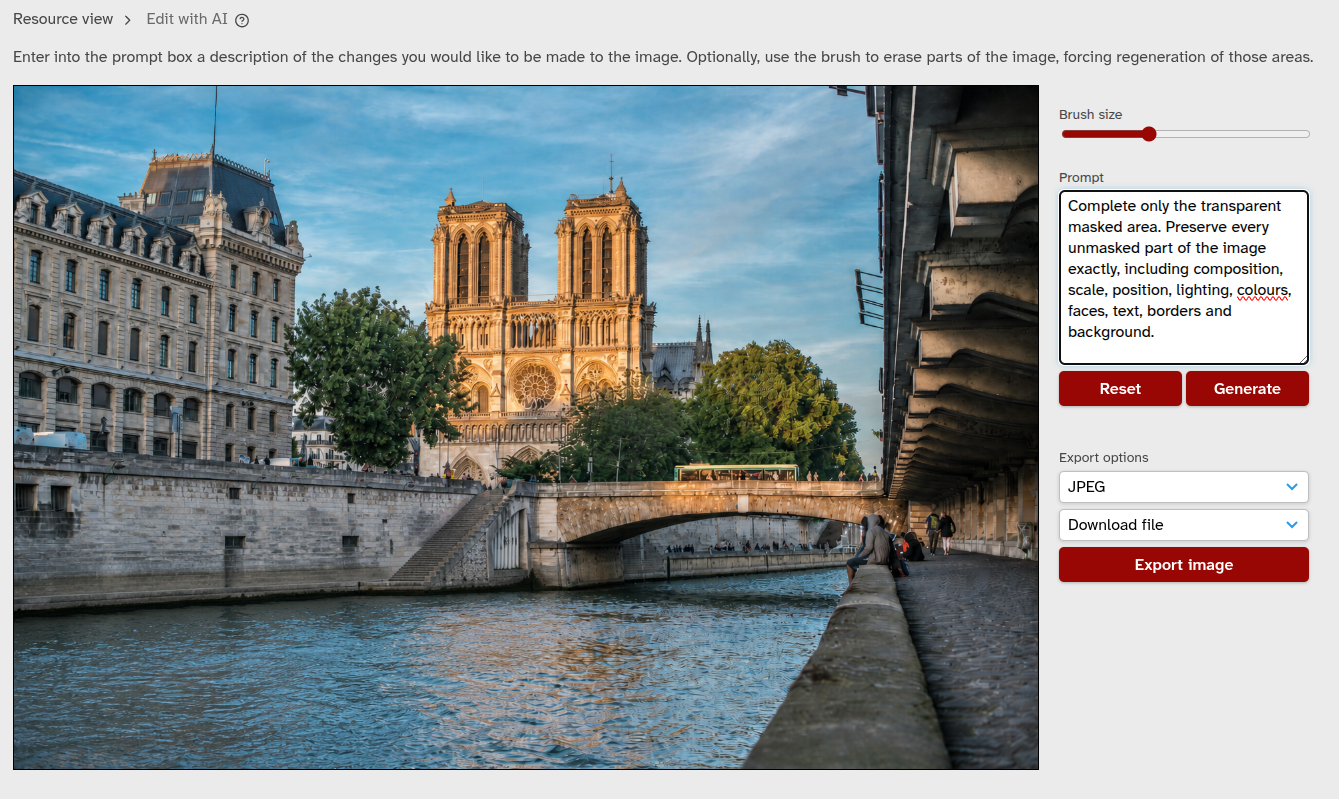
Any number of subsequent edits can be made if necessary.
Export options
Once you're happy with your image you can select from JPEG, PNG and WEBP output formats and then select one of three export options:
- Download - simply download the image to your system. Nothing is uploaded or changed on ResourceSpace.
- Save as alternative file - the image will be added as an alternative file to the current resource record, leaving the original image intact.
- Save as new resource - a new resource record is created containing your image. If your system is configured to add AI tags then these will be applied just as for regular uploads.