
ResourceSpace has changed the way the DEC uses content, making it much easier for us to quickly make assets available both internally and externally during our emergency appeals.

Our friendly team can guide you through how our extensive feature list can be tailored to your exact needs
Request a meetingWe’ll configure the perfect digital asset management system, carefully tailored to your sector
Request a meetingWe provide powerful DAM systems and bespoke consultancy and support to organisations of all types across the world.
Request a meetingBlog
3rd August 2015
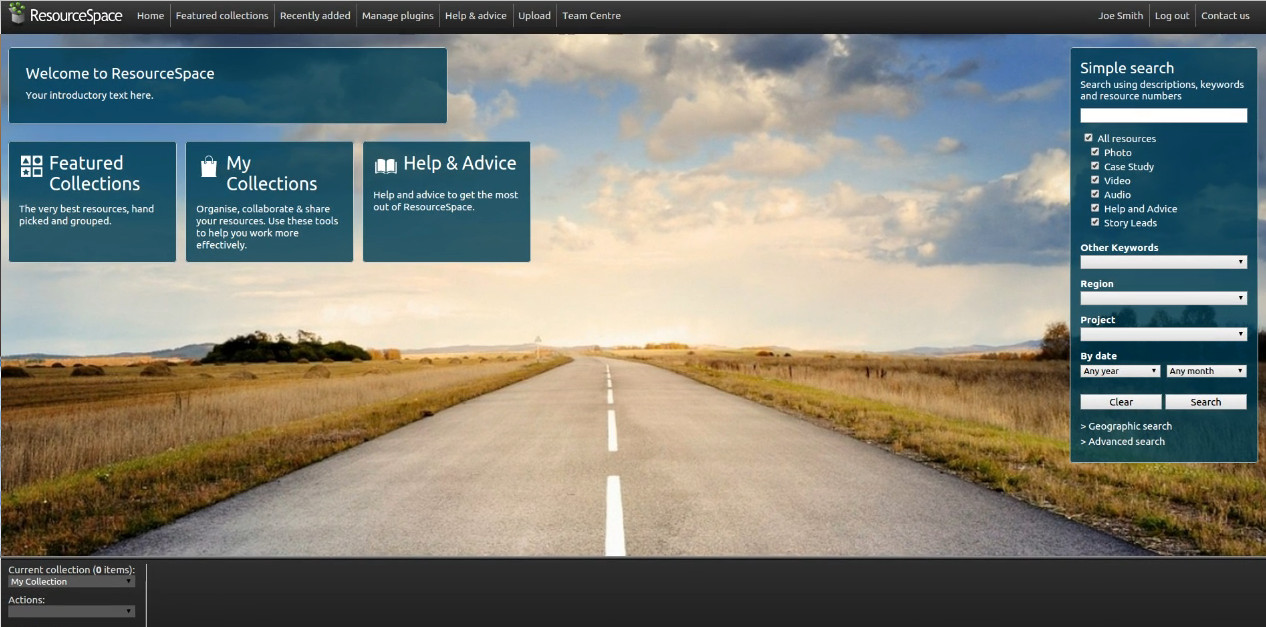
Proudly announcing the release of ResourceSpace 7.3, the result of a great deal of work by the ResourceSpace developer community. Here at Montala we've created a video showcasing the new features we've been working on this year, which has proven to be a transformative year for ResourceSpace so far. There have been a number of significant design improvements - for example, the new large slideshow mode is now switched on by default for new installations as we feel this substantially improves the appearance of the system. Clicking your name at the top now leads to a new My Account page and the password change and language pages are a link from there.
As an improvement to usability, we've introduced a new unified actions dropdown which replaces the existing collection actions across the system. This results in a much more consistent user experience when working with assets. Furthermore, resource views and edits from search appear in a modal window for easier navigation and rapid editing. You can now view and edit assets directly from the search results page without having to navigate to a new page. Another useful addition is the CSV and PDF metadata export tool allowing you to download a copy of the stored metadata for resources returned by a search. For the full list of updates, and to download the latest release, please see the version history page. Click the image below to watch the video tour.
Want to find out what else makes ResourceSpace different? Check out our DAM software comparison.
#ProductUpdates
#ResourceSpaceTips
#BestPractice
#Usability
#UserExperience
#DAMSoftwareComparison
ResourceSpace has changed the way the DEC uses content, making it much easier for us to quickly make assets available both internally and externally during our emergency appeals.

The ResourceSpace team has been exceptionally good at support services. They make everything so convenient and efficient with the cutting edge technology. Kudos to the team.